September 30, 2025
How to Plan Your Week as a Freelancer: A 15-Minute System for Sanity
The most effective way to plan a freelance week is the "Deadline-Backwards" method. Instead of filling a calendar with tasks, start by identifying your hard deadlines for the week (using a tool like Jornl). Block out time for these "Anchors" first, then schedule deep work blocks, and finally, fit in admin tasks and rest around them.
It’s Sunday evening. You should be relaxing, but instead, your brain is starting to panic. "What do I need to do tomorrow? Did I forget anything?"
This is the "Freelancer's Paradox": you quit your 9-to-5 job for freedom, but you ended up working 24/7 because you don't have a boss telling you what to do. The boundaries between "work" and "life" have dissolved.
The solution isn't to wake up at 5 AM or hustle harder. The solution is to replace your anxiety with a structure. You need a planning system that takes 15 minutes but buys you back your entire weekend.
The Trap of the "Endless List"
Most freelancers try to plan their week by writing a long To-Do list. This is a mistake.
A standard list treats every item as equal. "Finish the website redesign" (a massive, critical project) sits right next to "Reply to Steve's email" (a 2-minute distraction). When you work from a flat list, human nature drives you to do the easy things first. You tick off 10 small items, feel productive, but realize on Friday afternoon that you haven't touched the one thing that actually pays the bills.
The Solution: The "Deadline-Backwards" Method
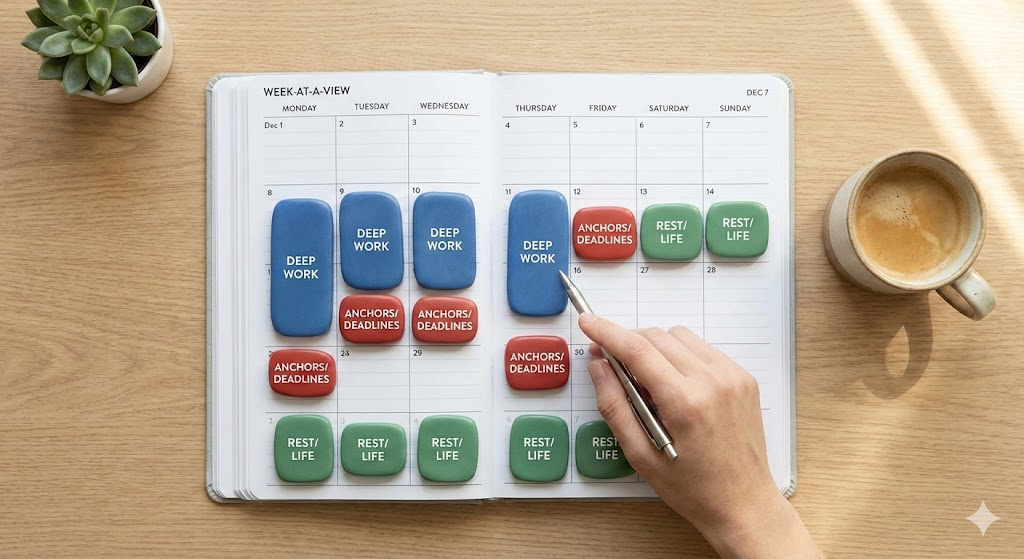
To regain control, you need to invert the process. Don't start with what you want to do; start with what you must deliver.
Step 1: Identify Your Anchors Your "Anchors" are your hard deadlines. These are the non-negotiables. If you are keeping track of multiple client projects correctly, you should know exactly what is due this week.
Step 2: Estimate "Deep Work" Hours Be honest. If you think the design will take 4 hours, budget 6. Freelancers are optimistic by nature; your schedule needs to be realistic.
Step 3: Block the Time Place your Anchors in your calendar first. Then, block out the "Deep Work" sessions needed to hit them. These blocks are sacred. No emails, no Slack.
Step 4: The "Admin Batch" Everything else—invoices, emails, small updates—gets pushed into a single "Admin Batch." Ideally, schedule this for Friday morning or Monday morning. Do not let admin tasks bleed into your deep work blocks.
How Jornl Automates This System
The "Deadline-Backwards" method breaks down if you have to dig through ten different email threads to find your deadlines. This is where Jornl becomes your command center.
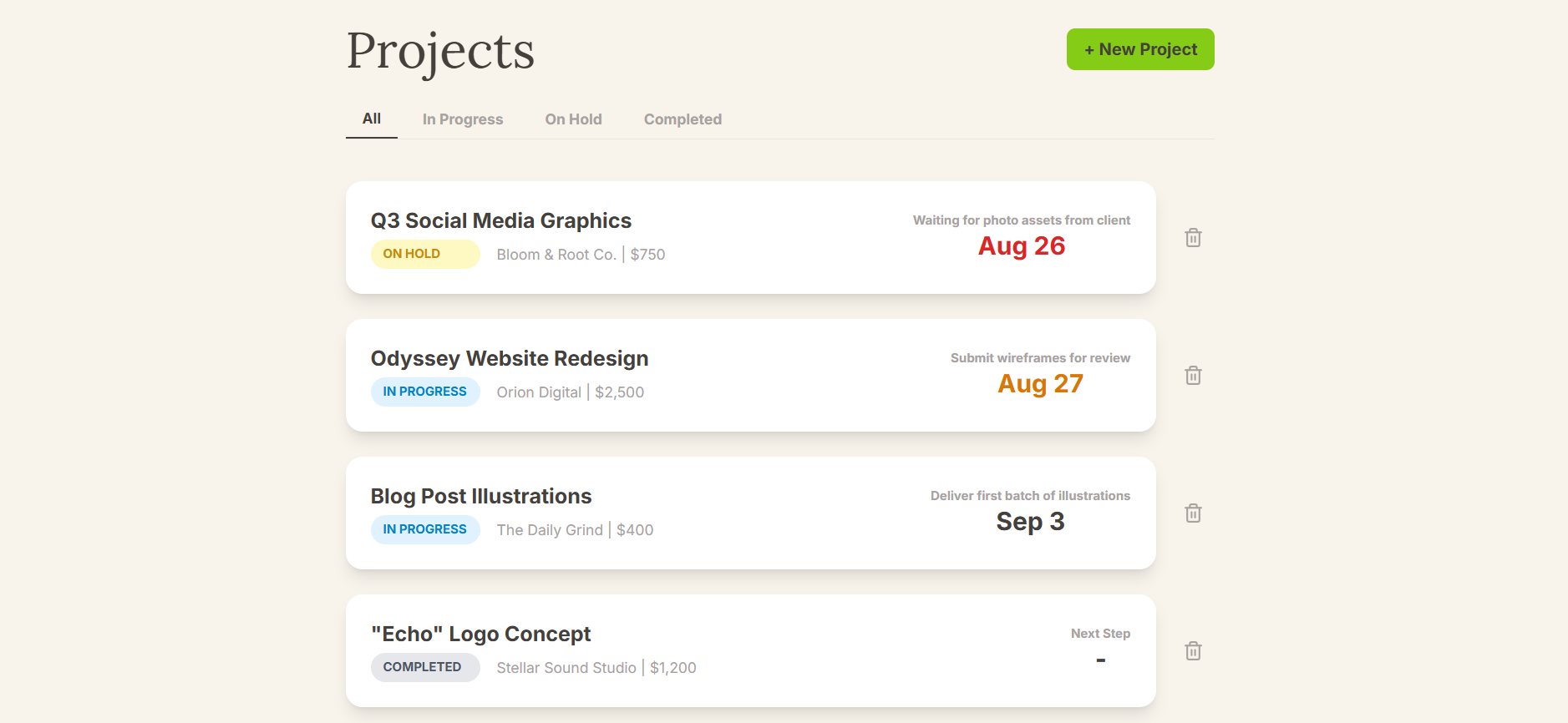
Our Smart Dashboard is designed specifically for this workflow. When you open Jornl, you don't see a cluttered list of tasks; you see a clear, prioritized view of your upcoming deadlines across all clients.
You don't need to "find" your Anchors; Jornl puts them right in front of you. You simply open the dashboard, see your top 3 priorities for the week, and block the time. It turns planning from a memory test into a simple visual check.
The "Sunday Sync" Ritual
To make this stick, you need a trigger. We recommend the "Sunday Sync"—a 15-minute ritual to close out the weekend and start the week with clarity.
- Open Jornl: Check your Dashboard for this week's deadlines.
- Check New Business: Did you sign anyone new? Check if you need to send an onboarding checklist to get a new project started.
- Block Your Calendar: Schedule your Deep Work blocks around your Anchors.
- Close Your Laptop: You are done. You have a plan. Now you can actually rest.
Frequently Asked Questions (FAQ)
Q: How many hours should a freelancer work per week?
A: Focus on "billable" or "deep work" hours, not total hours. For most freelancers, 25-30 hours of focused, high-quality work is equivalent to a 40+ hour corporate week.
Q: How do you handle unexpected tasks?
A: Always leave 20% of your schedule empty. Call it "buffer time." If an emergency happens, you have space. If not, you get a head start on next week.
Q: What is the best day for admin work?
A: Friday mornings are great for "closing out" the week (invoices, reports), while Monday mornings are good for "setting up" the week (planning, emails).
Conclusion
A plan is a contract you make with yourself. A good weekly plan protects your free time just as fiercely as it protects your work time.
Stop starting your Mondays in a panic. Try Jornl to keep your deadlines front and center, making your weekly planning not just faster, but foolproof.